Trenchless
A cross-platform product that simplifies complex leak detection workflows for technicians in the field and teams in the office.
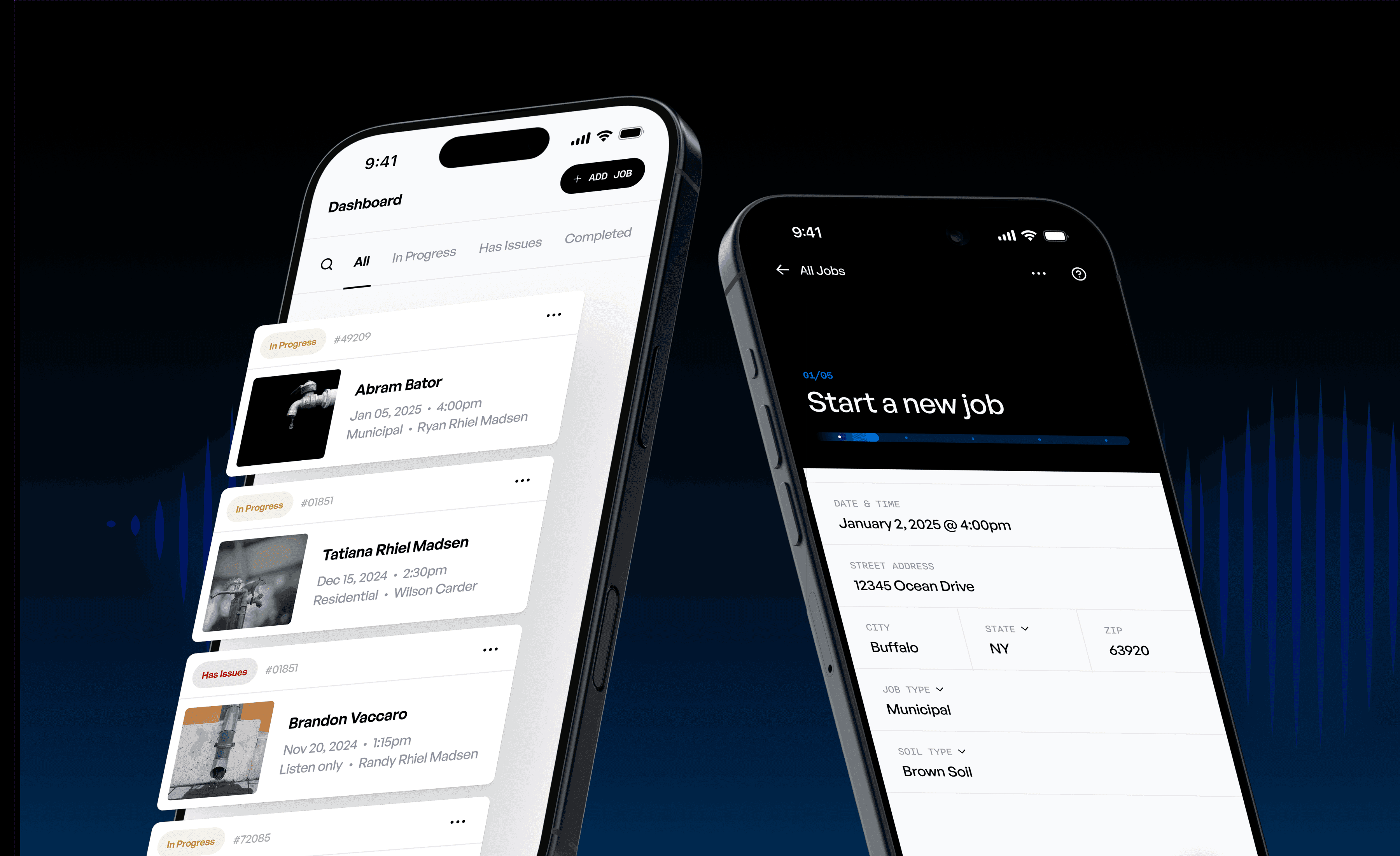
Trenchless is a specialized app designed to help field technicians detect and document leaks in underground or concealed piping systems. The app provides a clean, technician-friendly interface that streamlines the entire inspection process—from job intake to leak verification. Trenchless is currently being developed based on these designs.
[RESPONSIBILITIES]
Low & High Fidelity prototyping
Interaction patterns
Systems thinking
Mobile app + Web platform
[ROLE]
Product Design / UX / UI
[DURATION]
Jan 2025 - Oct 2025
Goals
Turn complicated field workflows into a simple, step-by-step mobile experience.
Make it easier for technicians to work smoothly in real-world conditions.
Focus on making the workflow fast, clear, and accurate at every step.
Help field teams keep records and document their work consistently.
Build one central admin platform to manage operations, teams, and schedules.
Link mobile field tasks with back-office management in a single, unified system.
Research & Discovery
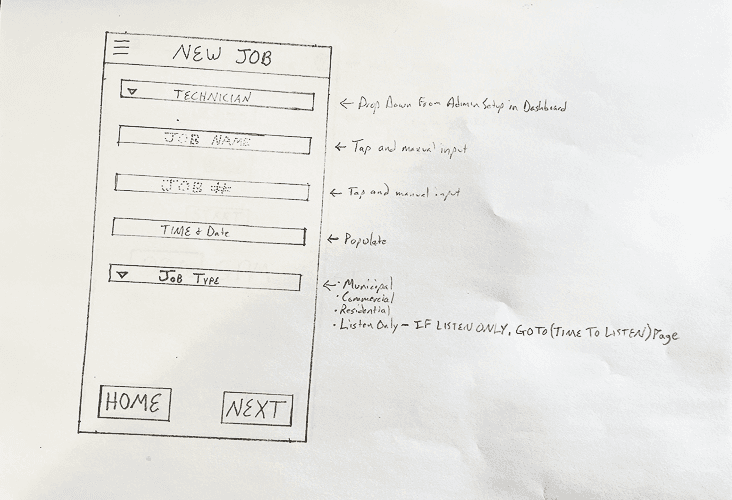
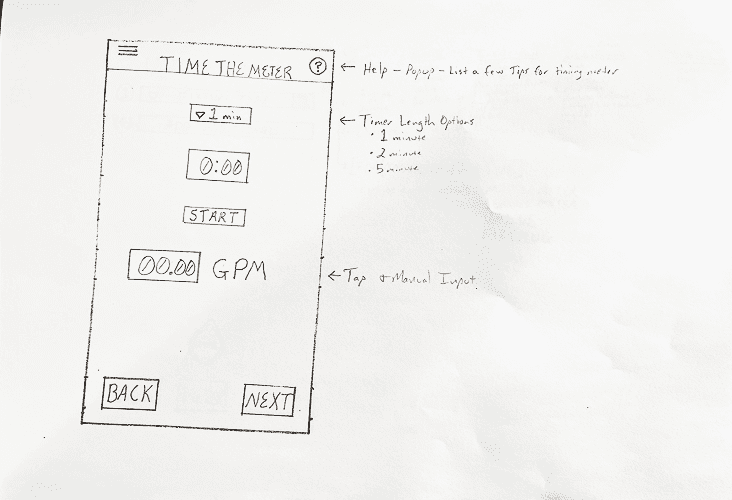
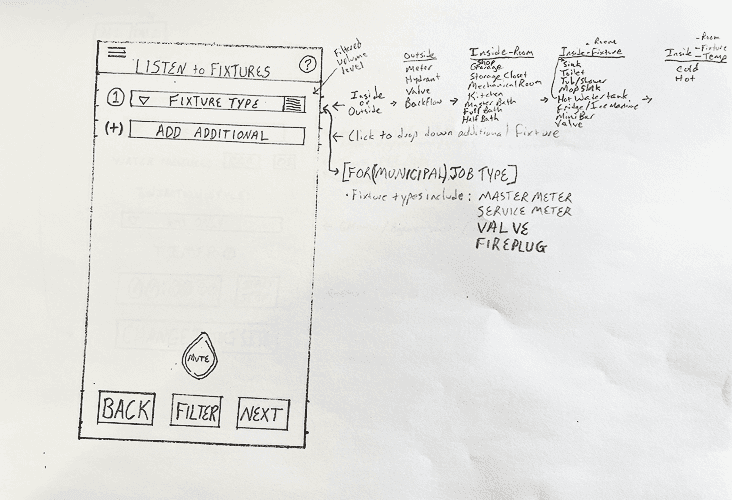
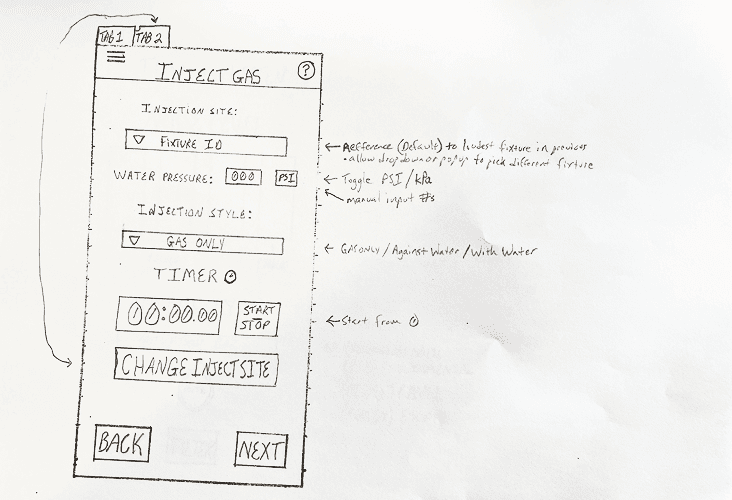
During the discovery phase, we worked to turn a complex workflow into a product structure that users would find intuitive and reliable. We started by looking at the entire user journey, pinpointing key tasks, dependencies, and any areas where users might struggle. By gathering feedback from stakeholders, mapping out workflows, and creating early sketches, we found places where the product needed to be clearer, steps could be made simpler, and the interface could better support decision-making.
Process & Approach
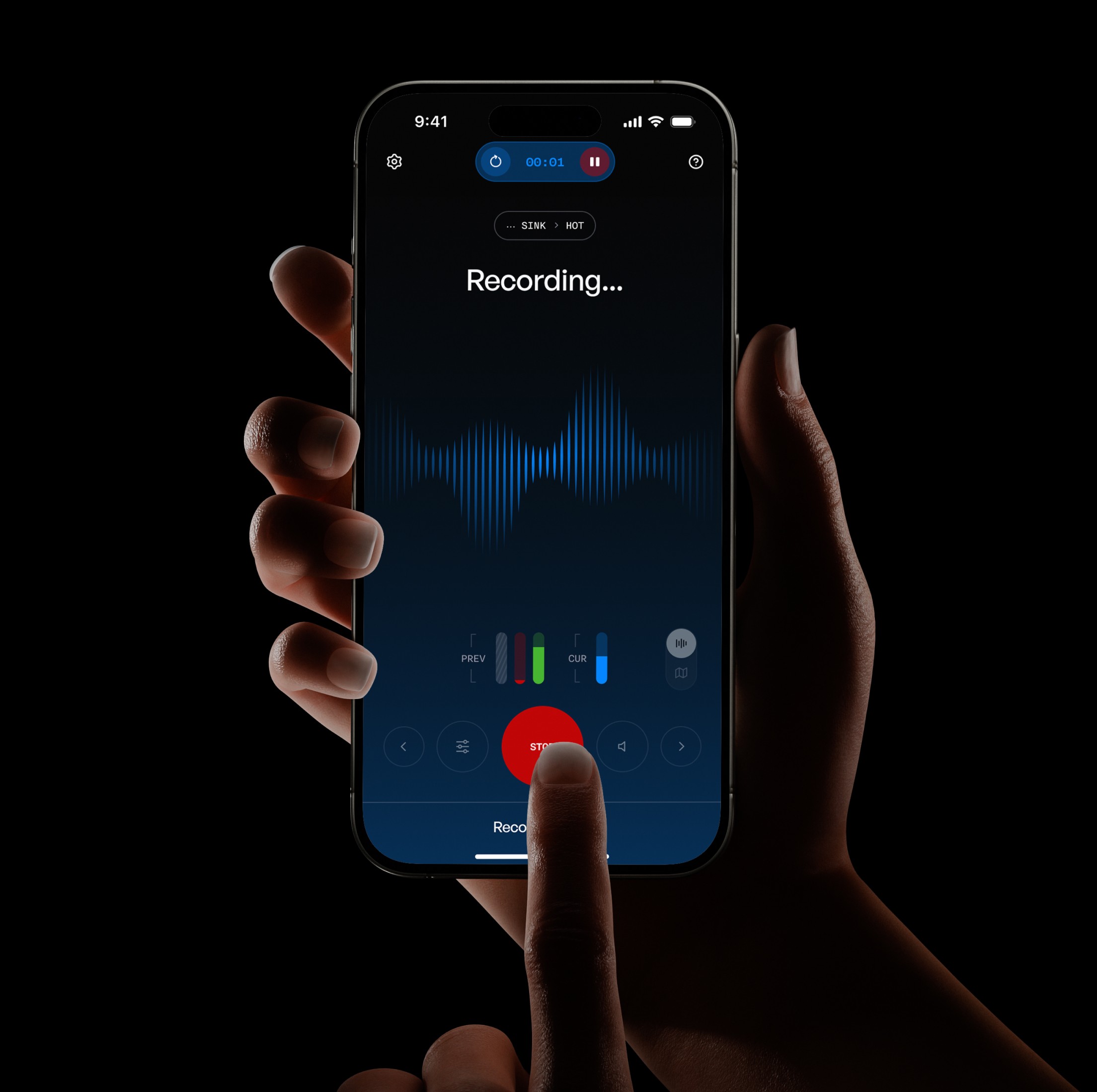
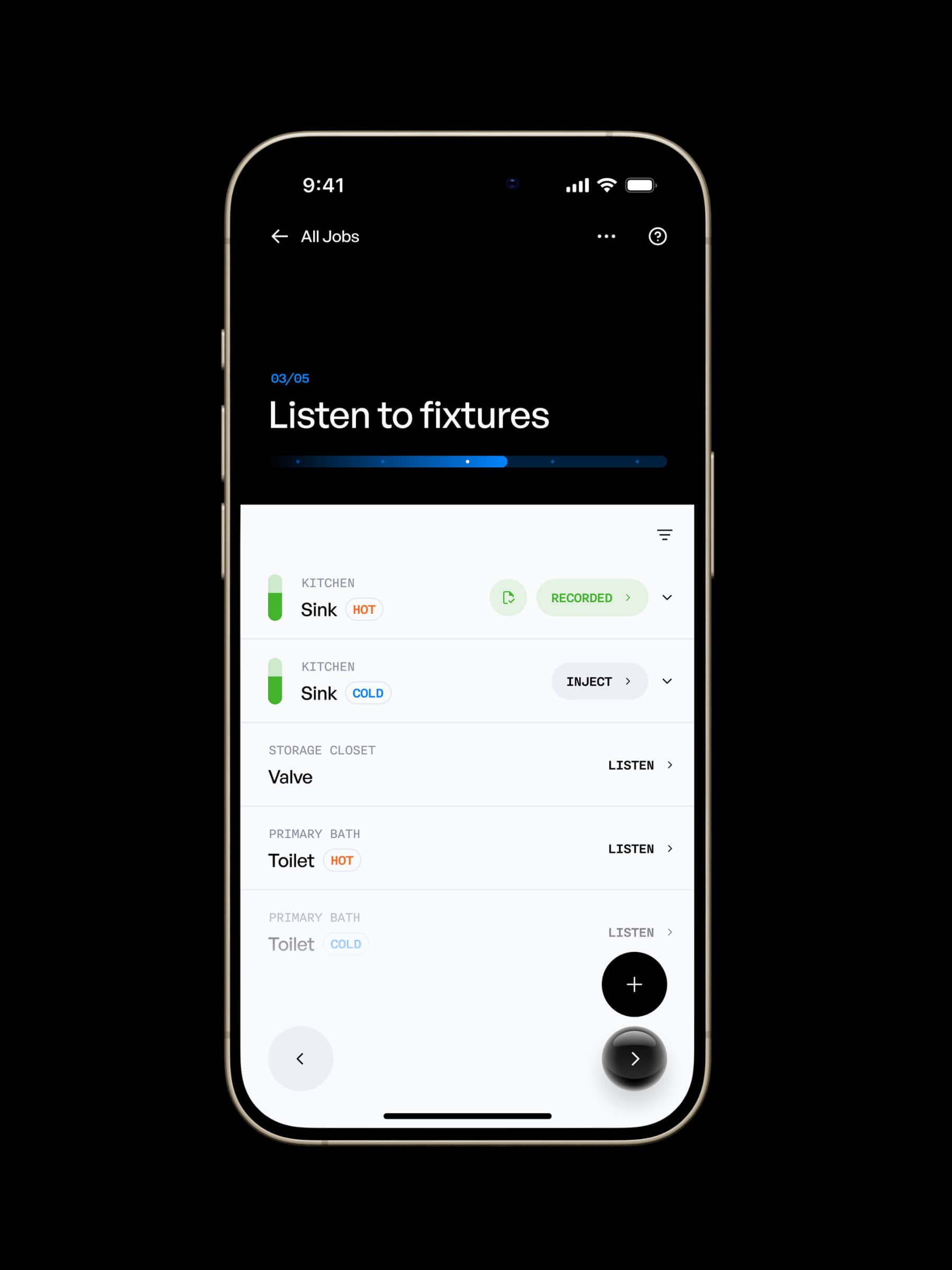
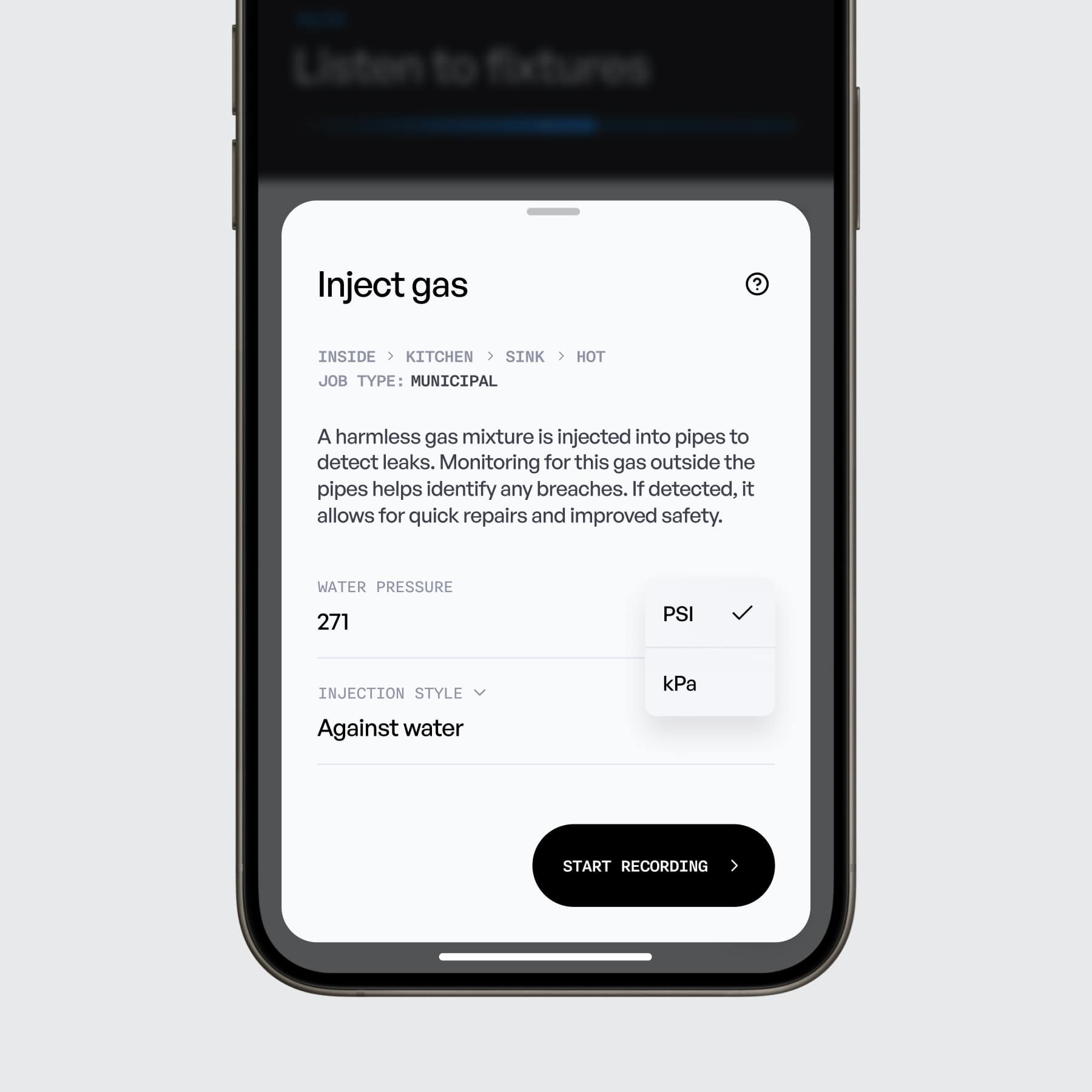
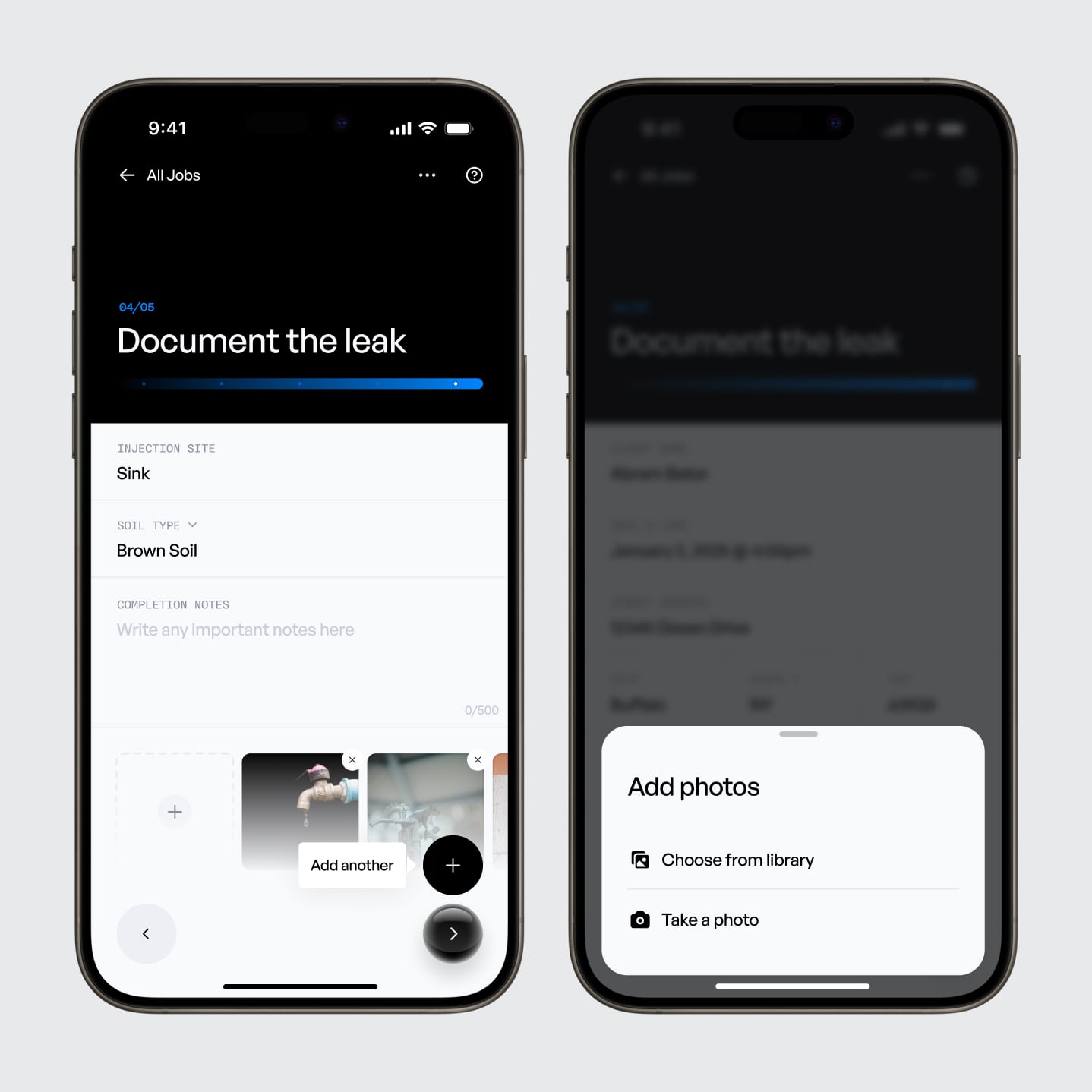
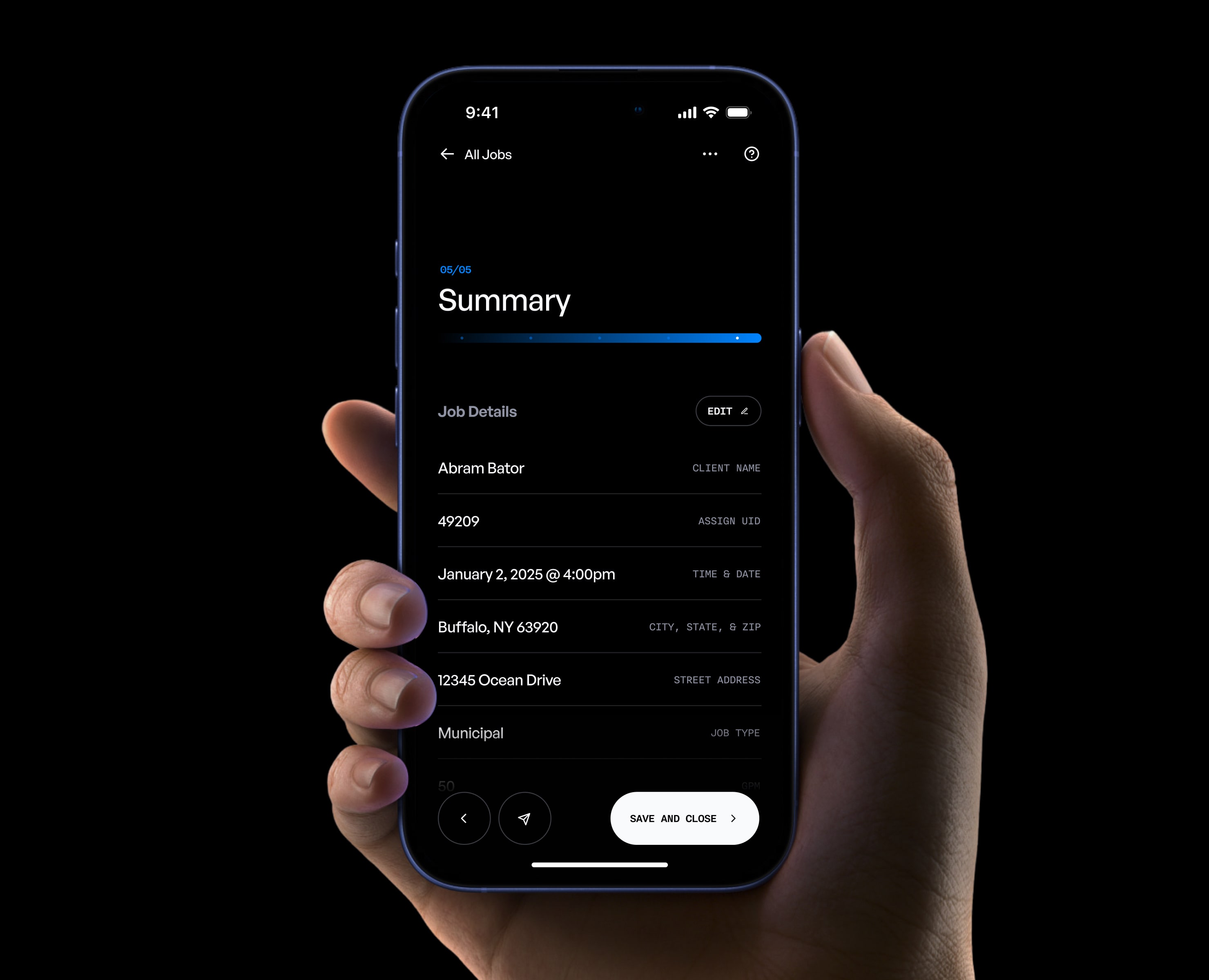
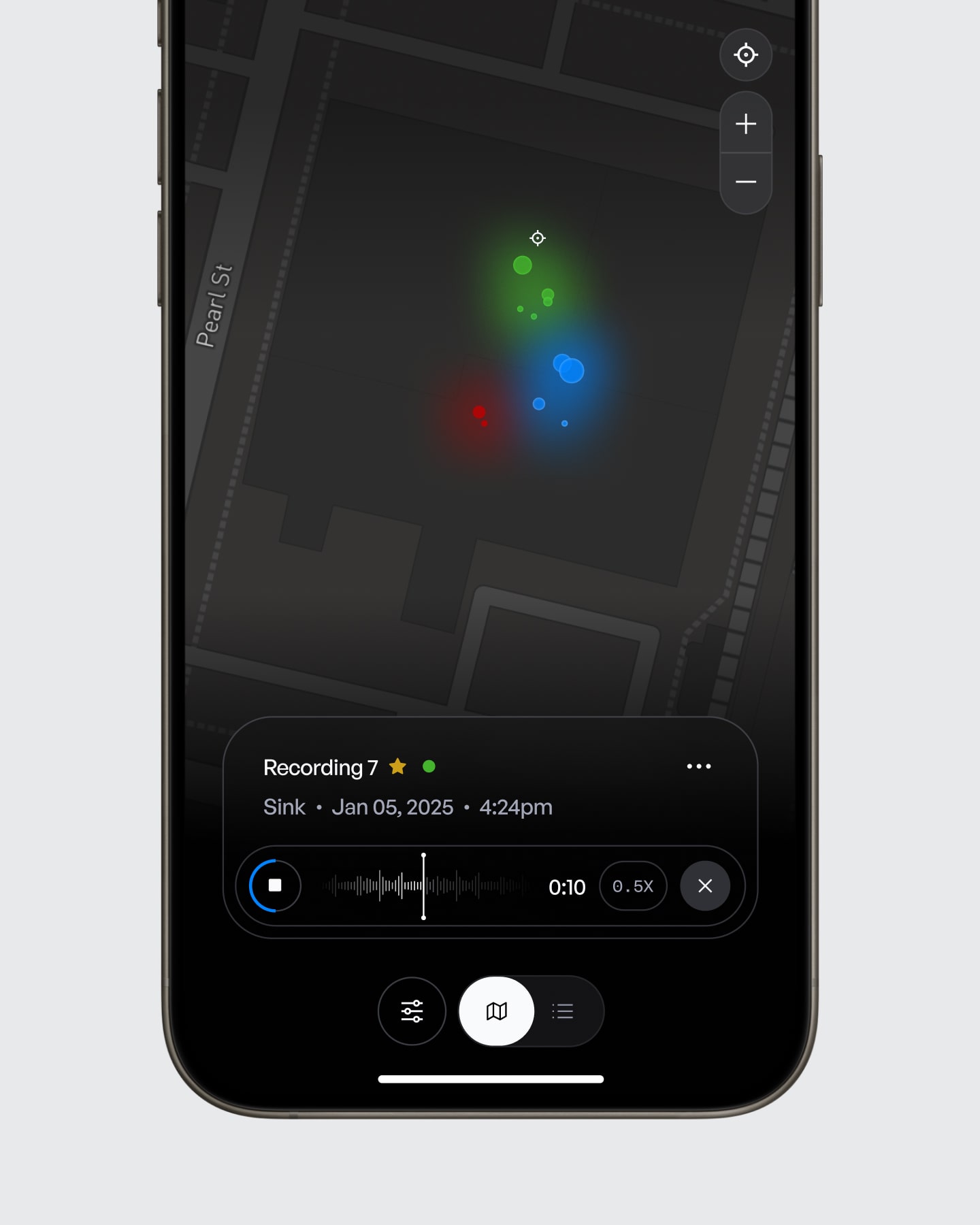
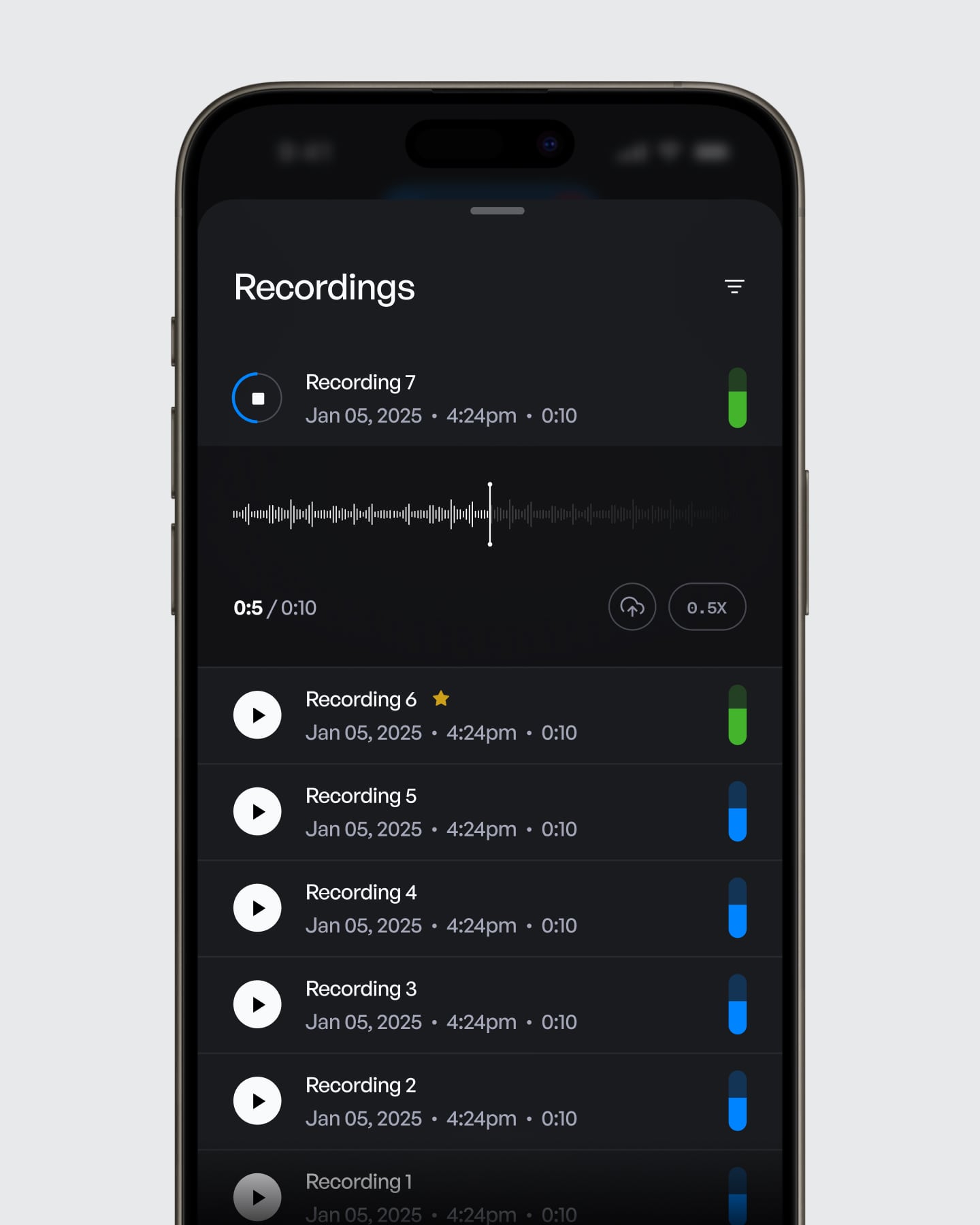
We mapped the full workflow for both the mobile app and web platform, then turned early ideas into clear mobile tasks and organized admin tools. On mobile, users followed guided steps for job setup, fixture selection, meter timing, gas injection, listening, filtering, leak recording, and final documentation. The web app handled job management, scheduling, technician administration, and reporting.
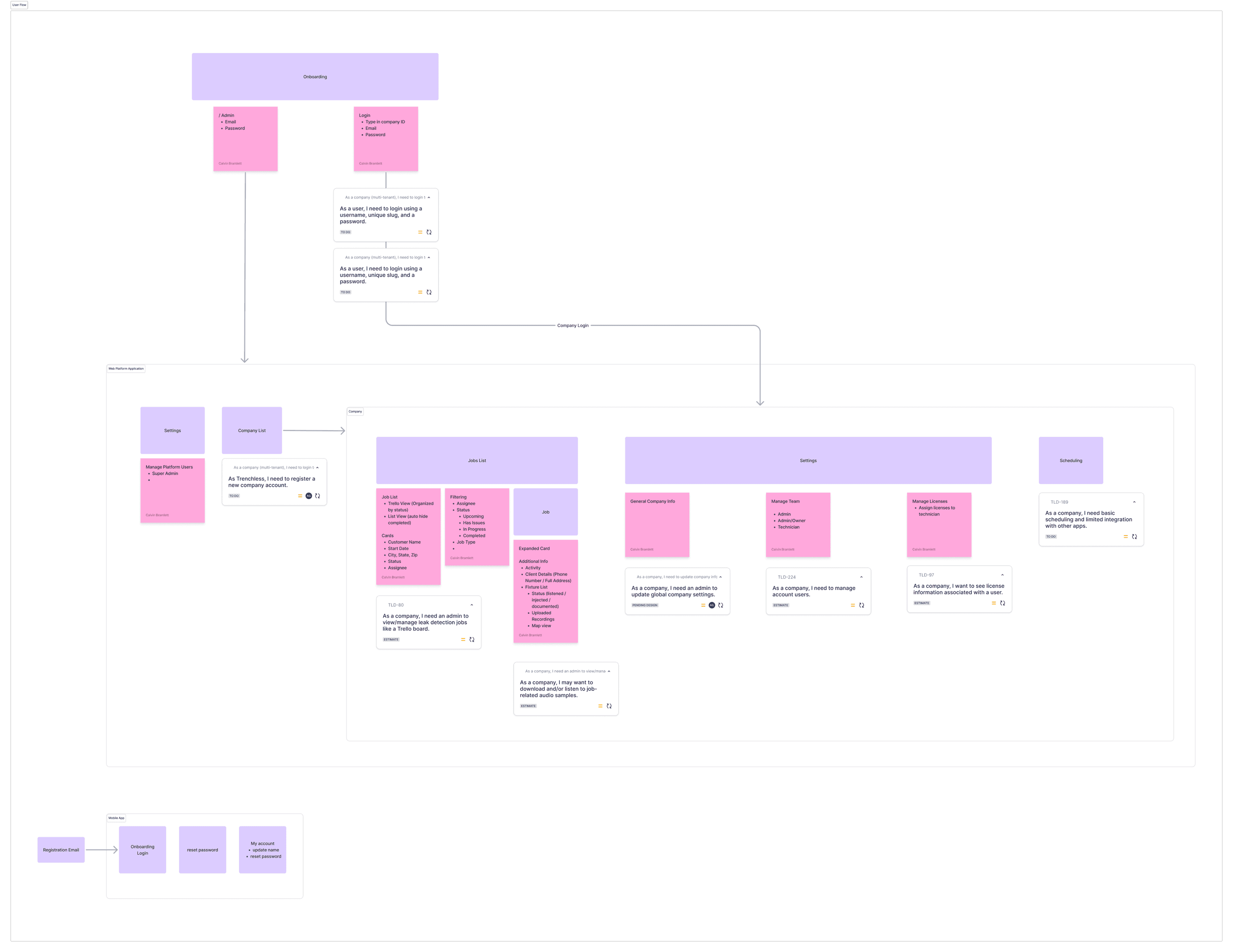
Provided by Calvin Bramlett
Solution & Outcome
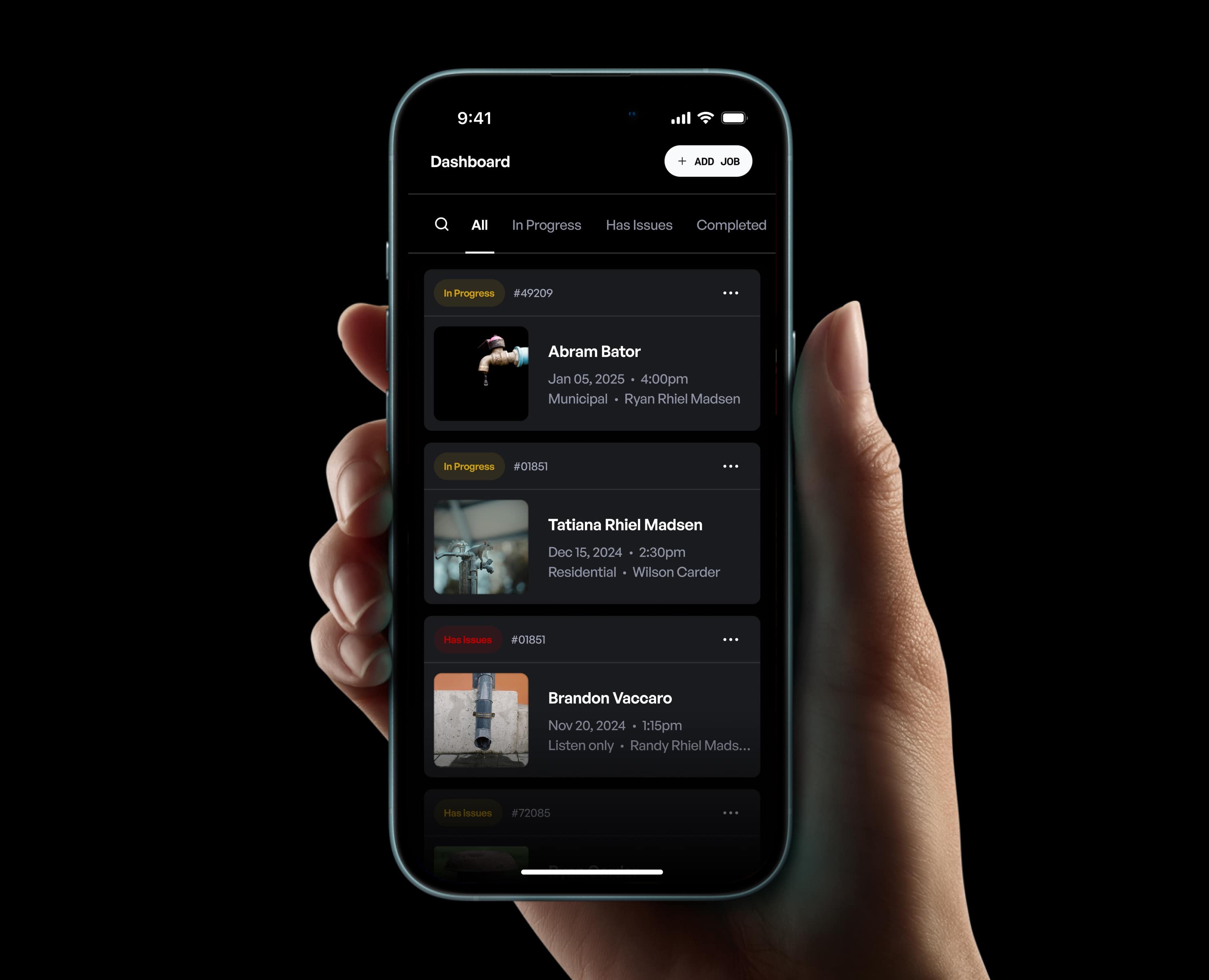
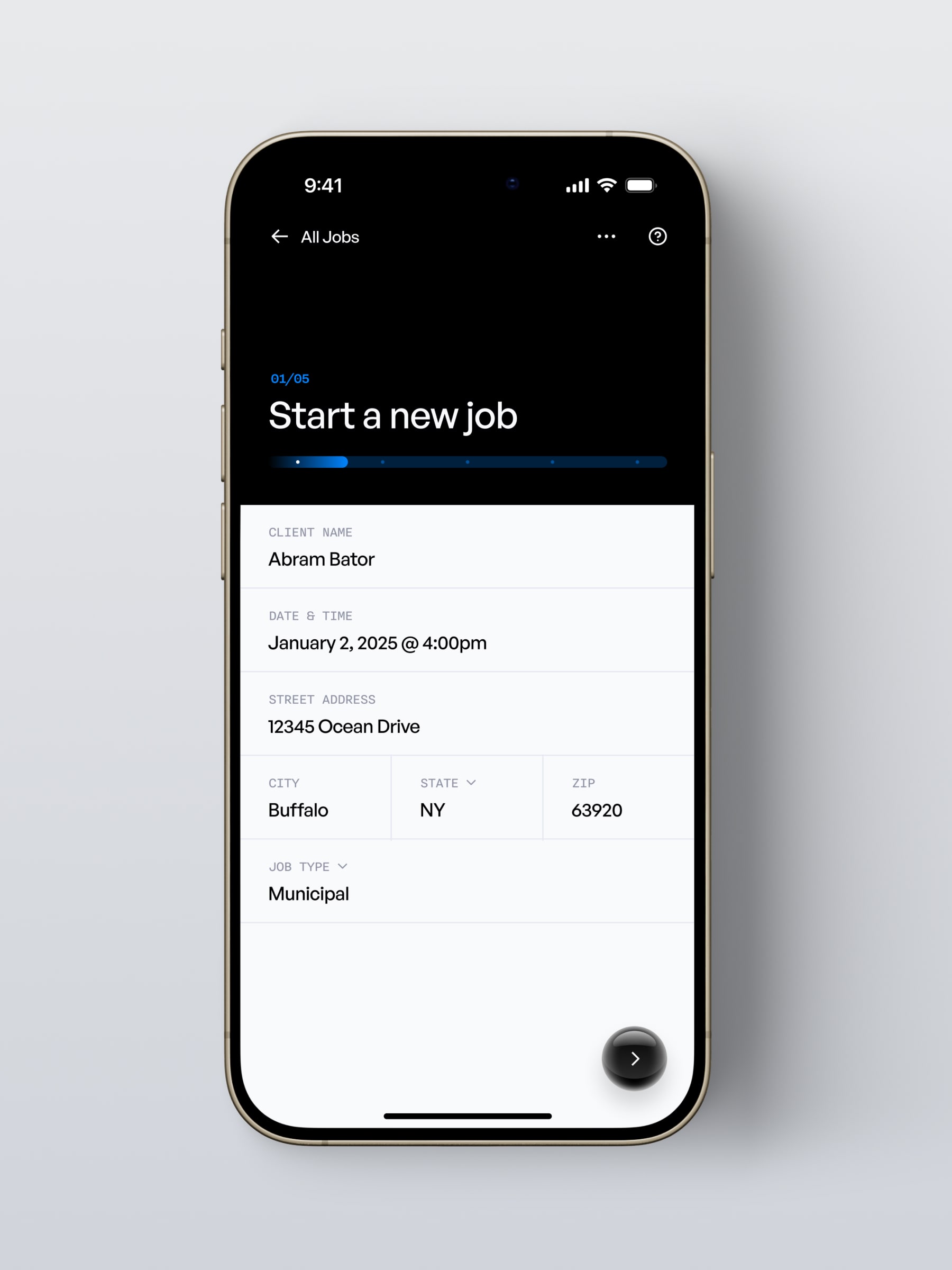
The final solution combined clear task flows on mobile devices with a central company dashboard on the web. This made it easier for technicians to complete inspections and helped teams manage jobs from beginning to end. The product became more user-friendly and modern, making a complicated workflow much clearer.
Reflection & Takeaways
A key lesson from this project was realizing how important it is to make the product clear at the systems level, not just in the interface. The best design choices came from seeing how users moved through the workflow, spotting where things got complicated, and finding ways for the product to guide them without making things feel overwhelming.
This project also reminded me of a principle I rely on: good product design is less about adding features and more about making complexity feel natural. It helped me get better at balancing operational limits, user needs, and consistency across platforms while creating experiences that are both useful and well-designed.