365 Member Access
Modernizing a complex access control platform for easier administration, faster workflows, and scalable member management.
365 Member Access is a technology company that provides advanced access control and amenity gating systems primarily for the fitness and health club industry. Their solutions include self-service microkiosks and backend software that automate and manage member access to gym facilities, amenities (like recovery rooms, towel lockers, and equipment), and entry points based on membership type and paid benefits. 365 Member Access are now using their new designs in their access control technology.
[RESPONSIBILITIES]
Product UX strategy
Dashboard & admin interface design
Component-based UI design in Figma
High-fidelity UI design
Design handoff support
[ROLE]
Product Design / UX / UI
[DURATION]
Sept 2025 - Dec 2025
[CLIENT]
Goals
Make the admin experience simpler and easier to use
Help users quickly understand how to manage accounts, members, and stations
Make it easier for users to find what they need in templates and configuration steps
Make routine admin tasks less time-consuming and smoother
Build a design system that can grow with the platform
Update the look and feel, but keep things clear for users who run operations
Research & Discovery
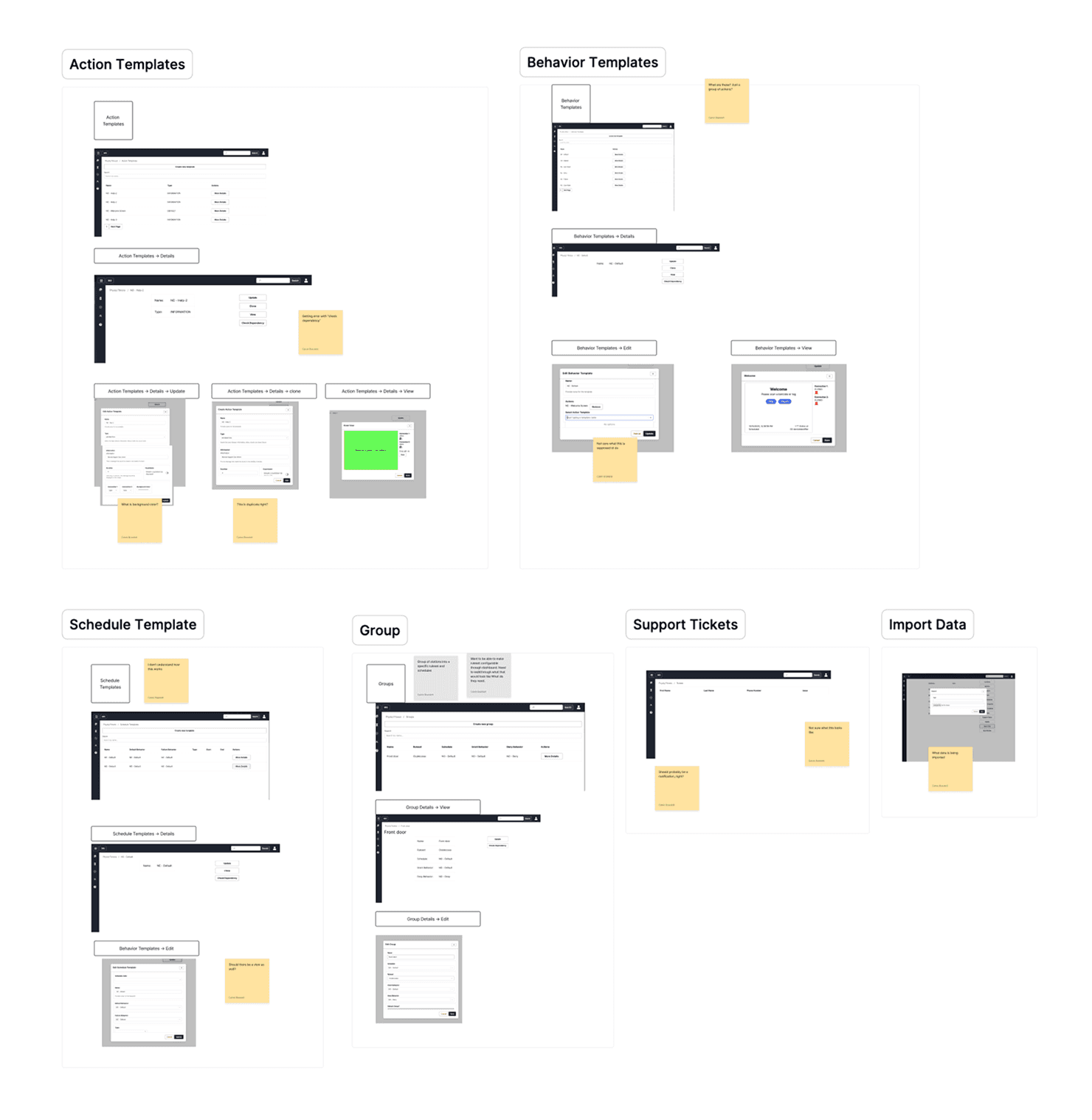
Before designing any screens, We took time to understand how the platform worked as a whole system. This product was more than a dashboard; it was a network of connected entities, rules, templates, and station behaviors that shaped how access was managed in real life.
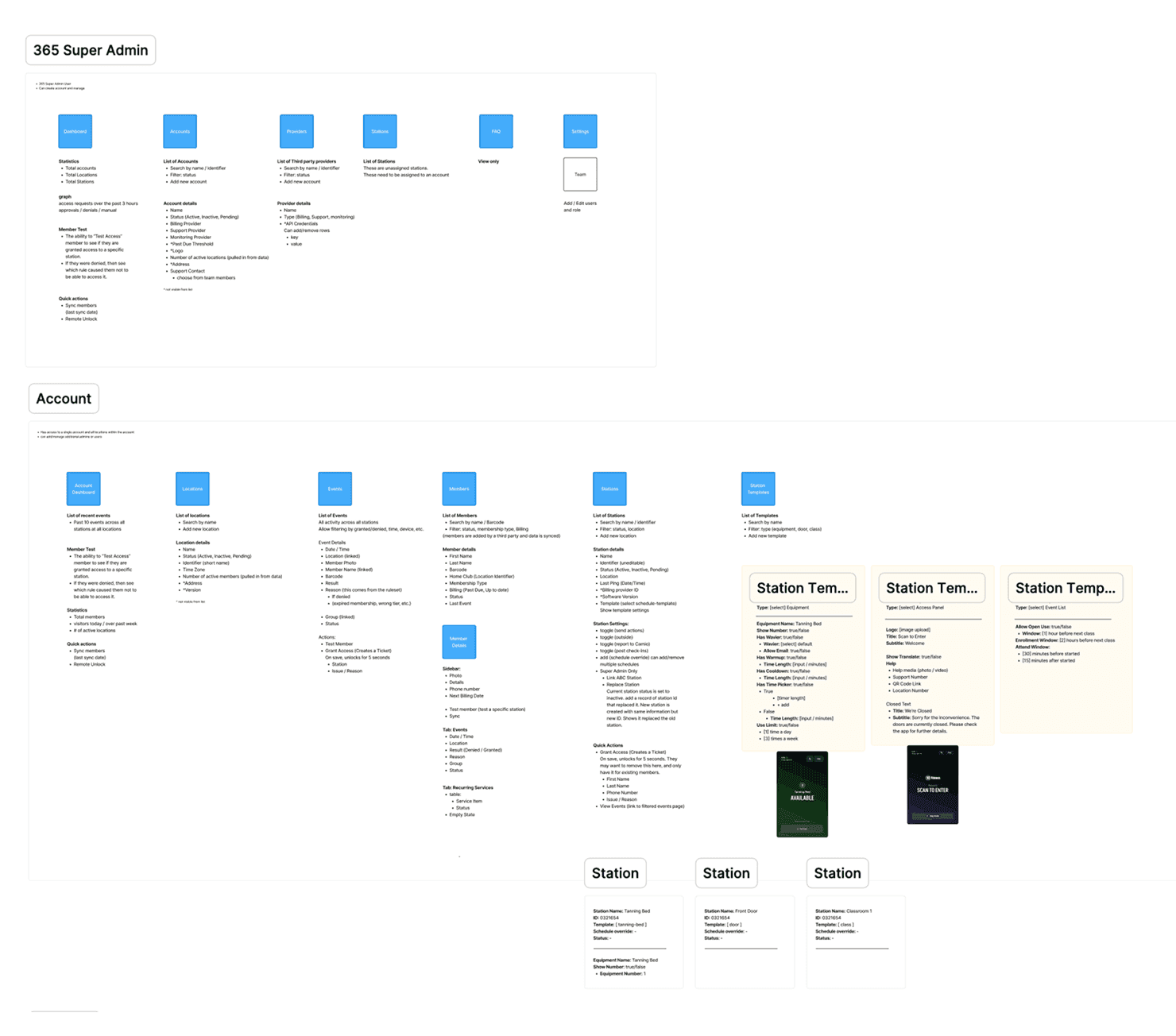
We mapped out the main product structure for both super admin and account-level experiences, showing how accounts, providers, locations, members, stations, and templates connected.
This early research phase revealed a few important themes:
The platform offered strong features, but its hierarchy was sometimes unclear
Template-based behaviors were important, but they were hard to review and manage
Users needed a clearer distinction between global administration and account-specific tasks
Reusable patterns would be key to keeping the system easy to maintain as new features were added
Provided by Calvin Bramlett
Process & Approach
We started the redesign by simplifying the information architecture. We separated the experience into clear layers for Super Admins and Account users, which helped clarify what should be managed globally and what belonged in each account’s workflow.
Next, we turned those system maps into organized admin flows for:
Account and location management
Member and event administration
Station creation and configuration
Action, behavior, and schedule templates
Grouping and support workflows
Data import and operational maintenance
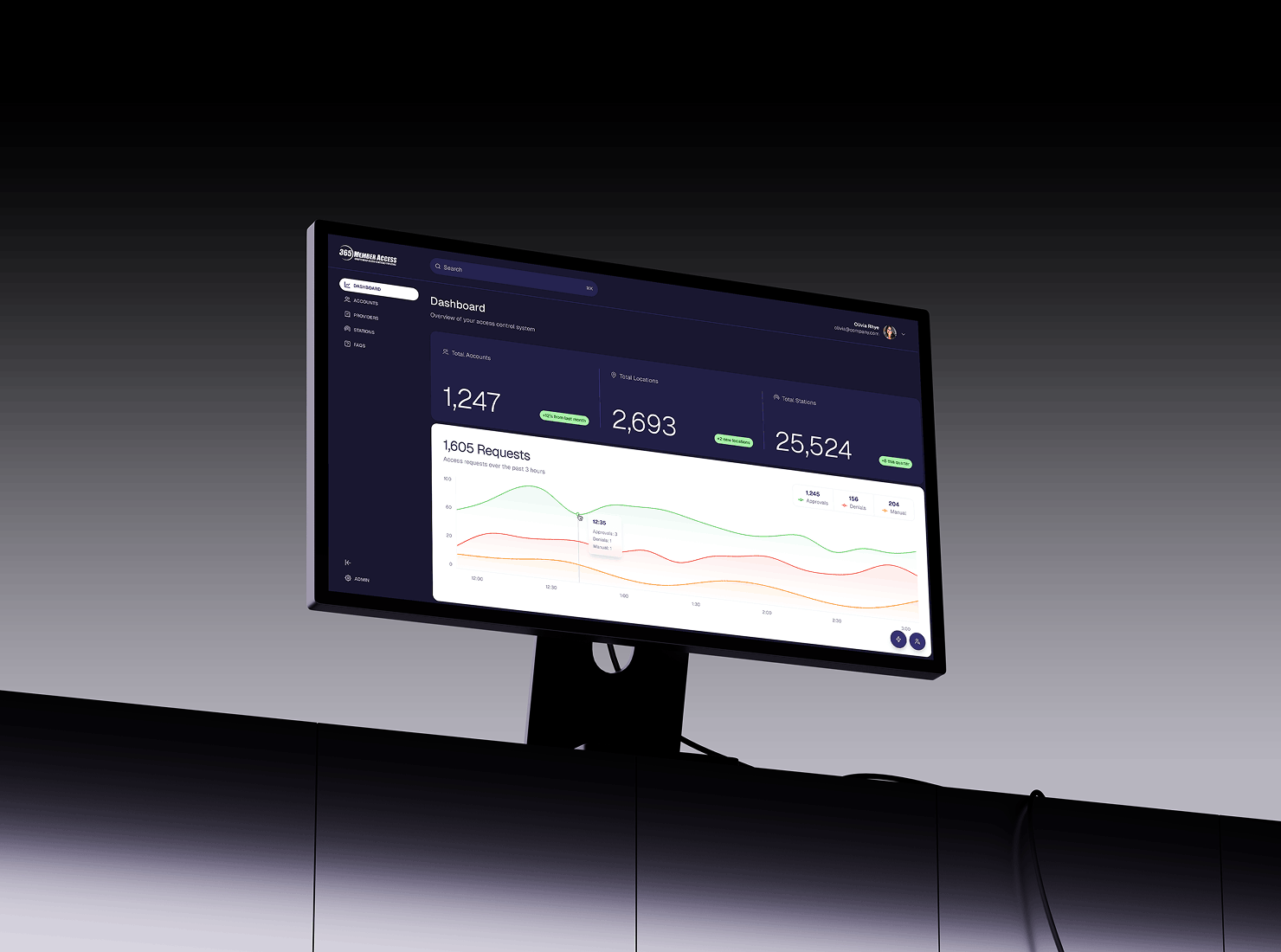
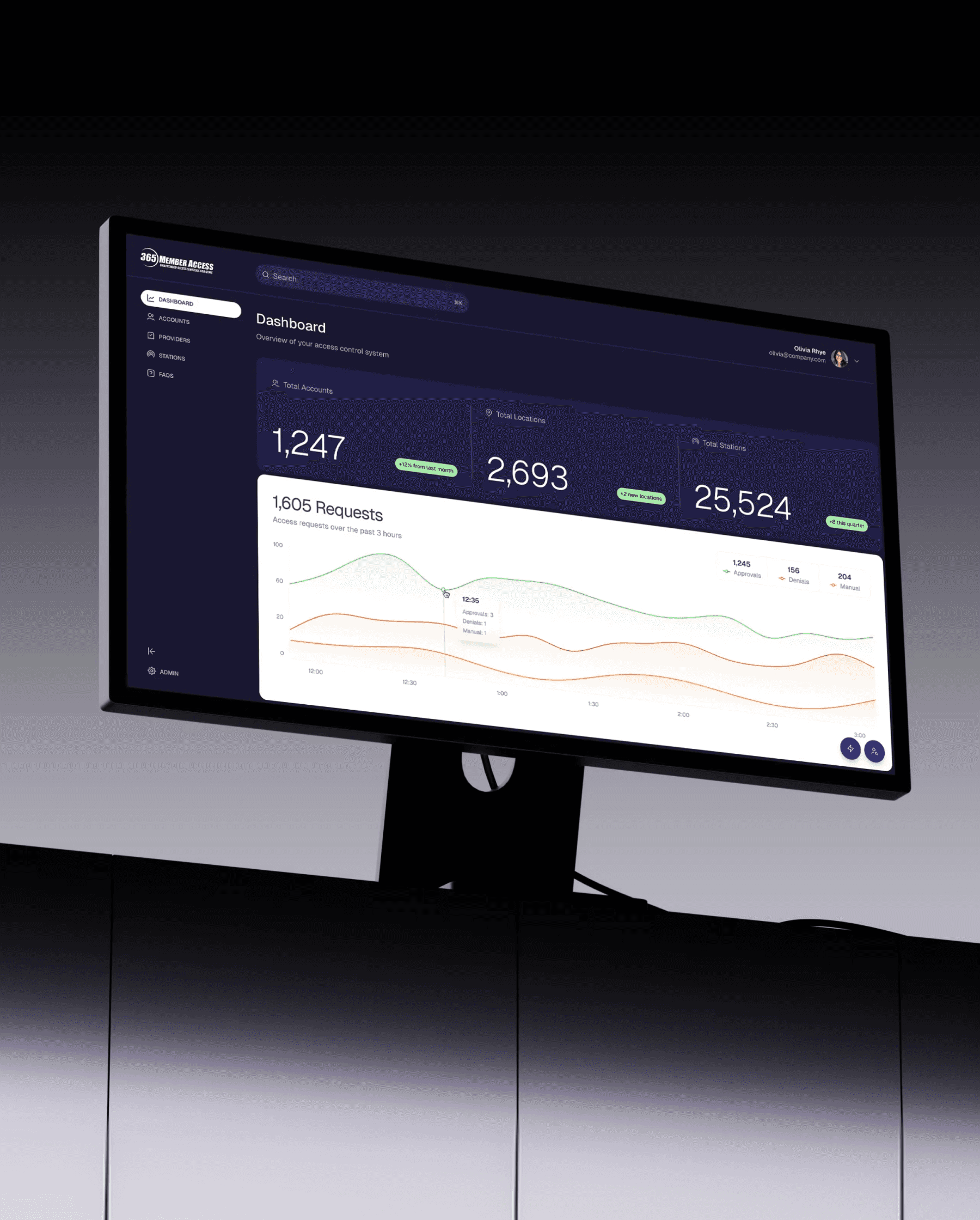
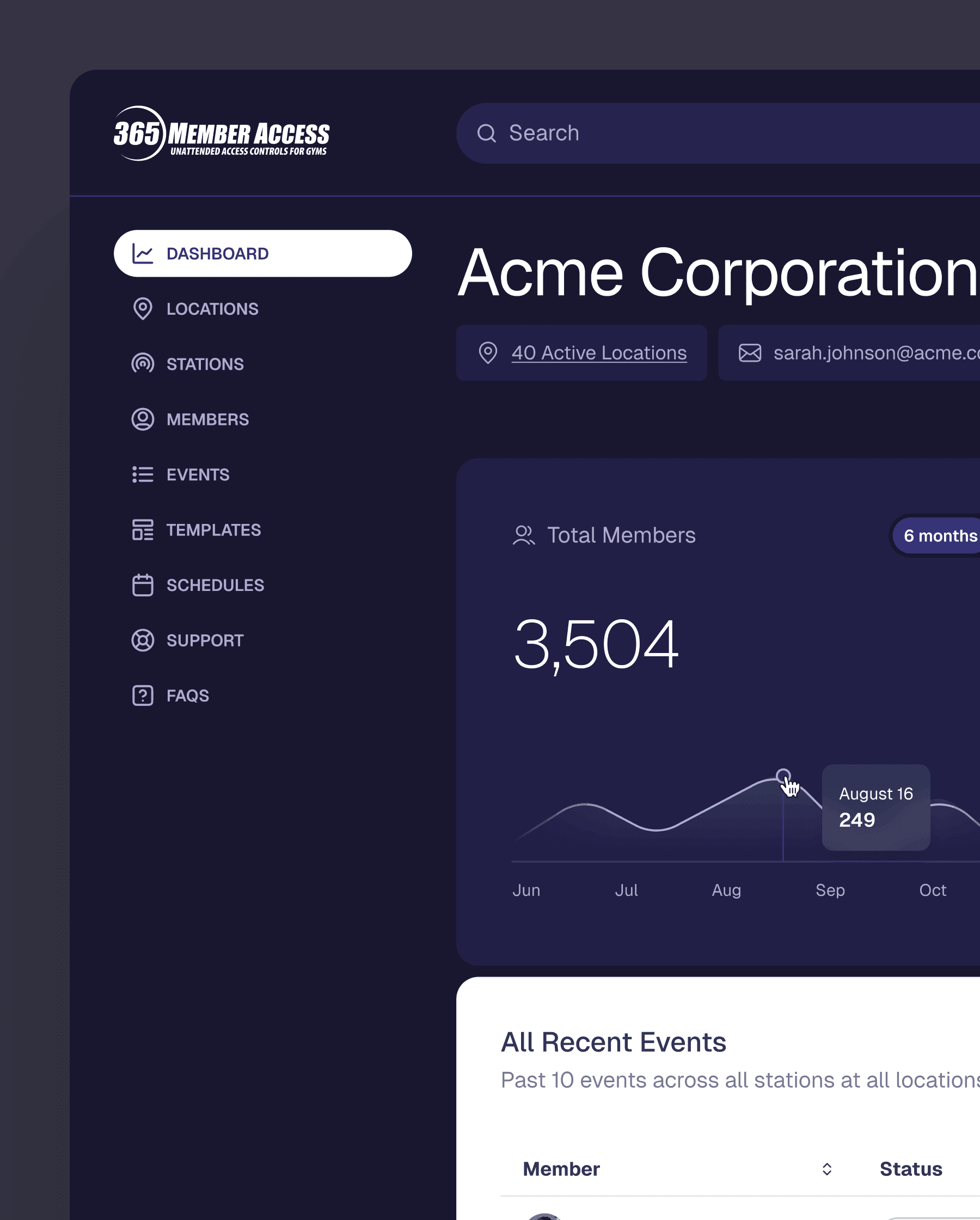
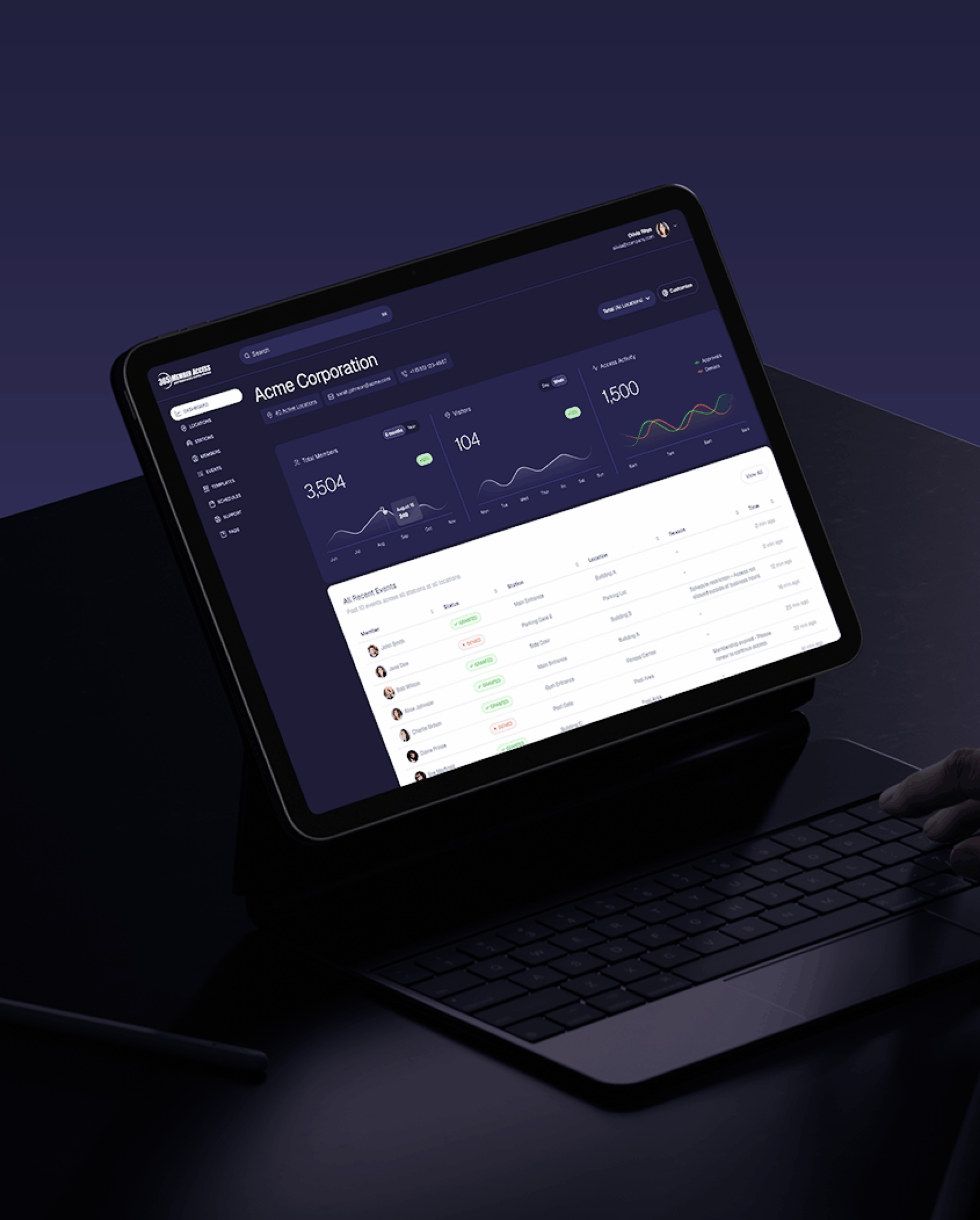
After clarifying the architecture, I designed a modern interface that made dense information easier to scan. The dashboard became more actionable and less overwhelming by using clear hierarchy, better spacing, simple navigation, and reusable UI patterns that work across the platform.
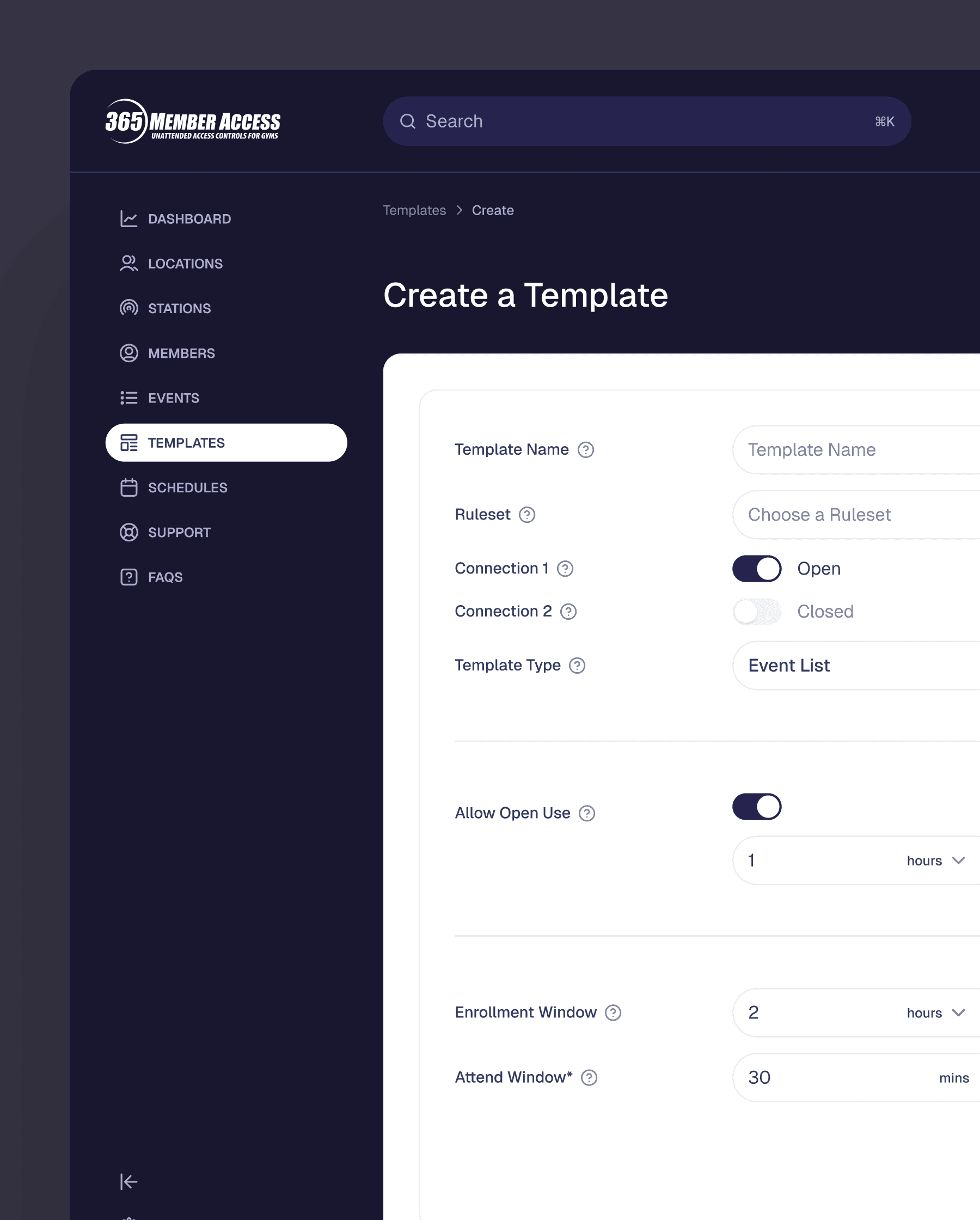
I focused on making technical views more consistent, especially in template management and station configuration. This helped users handle advanced tasks with less mental effort.
Provided by Calvin Bramlett
Solution & Outcome
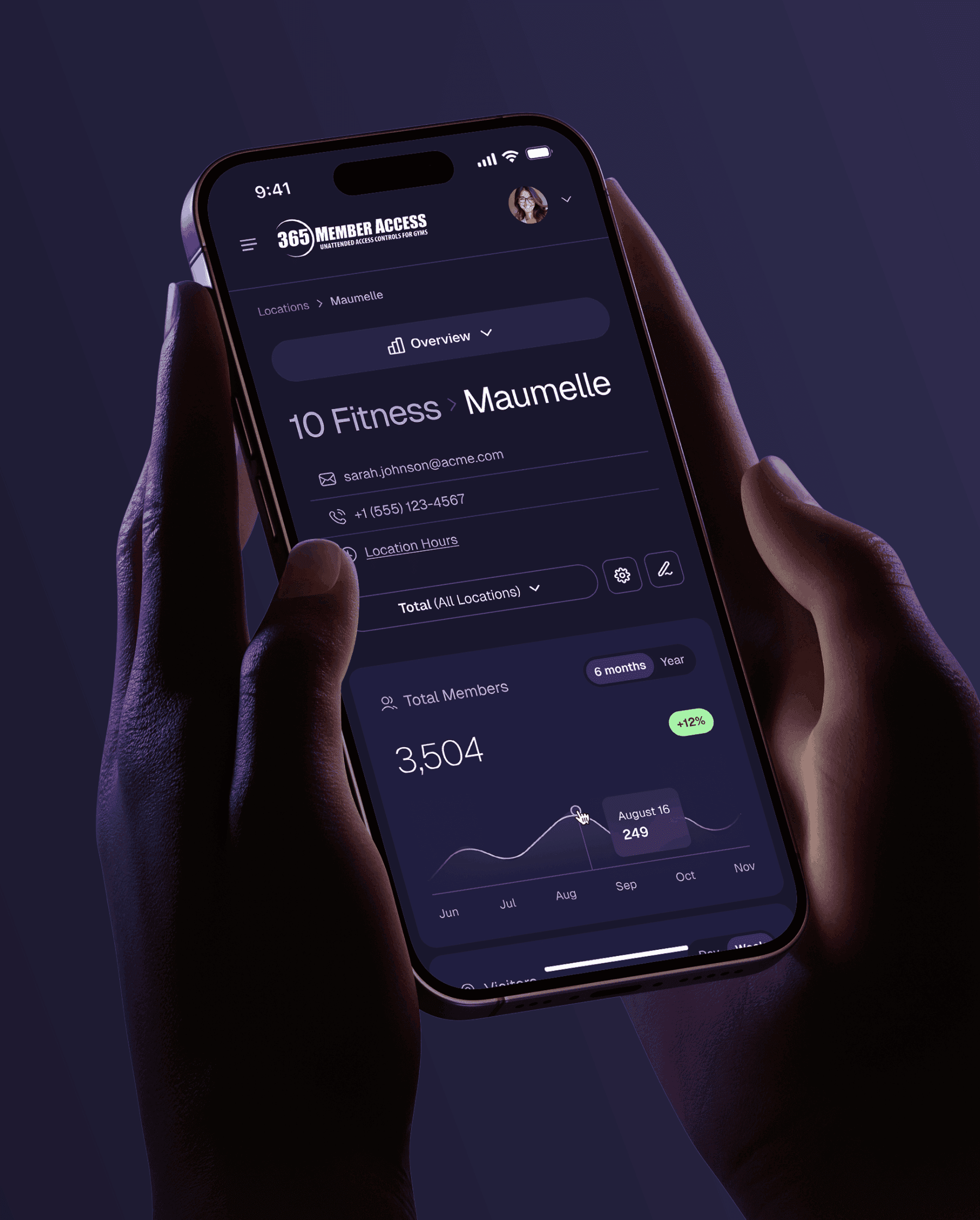
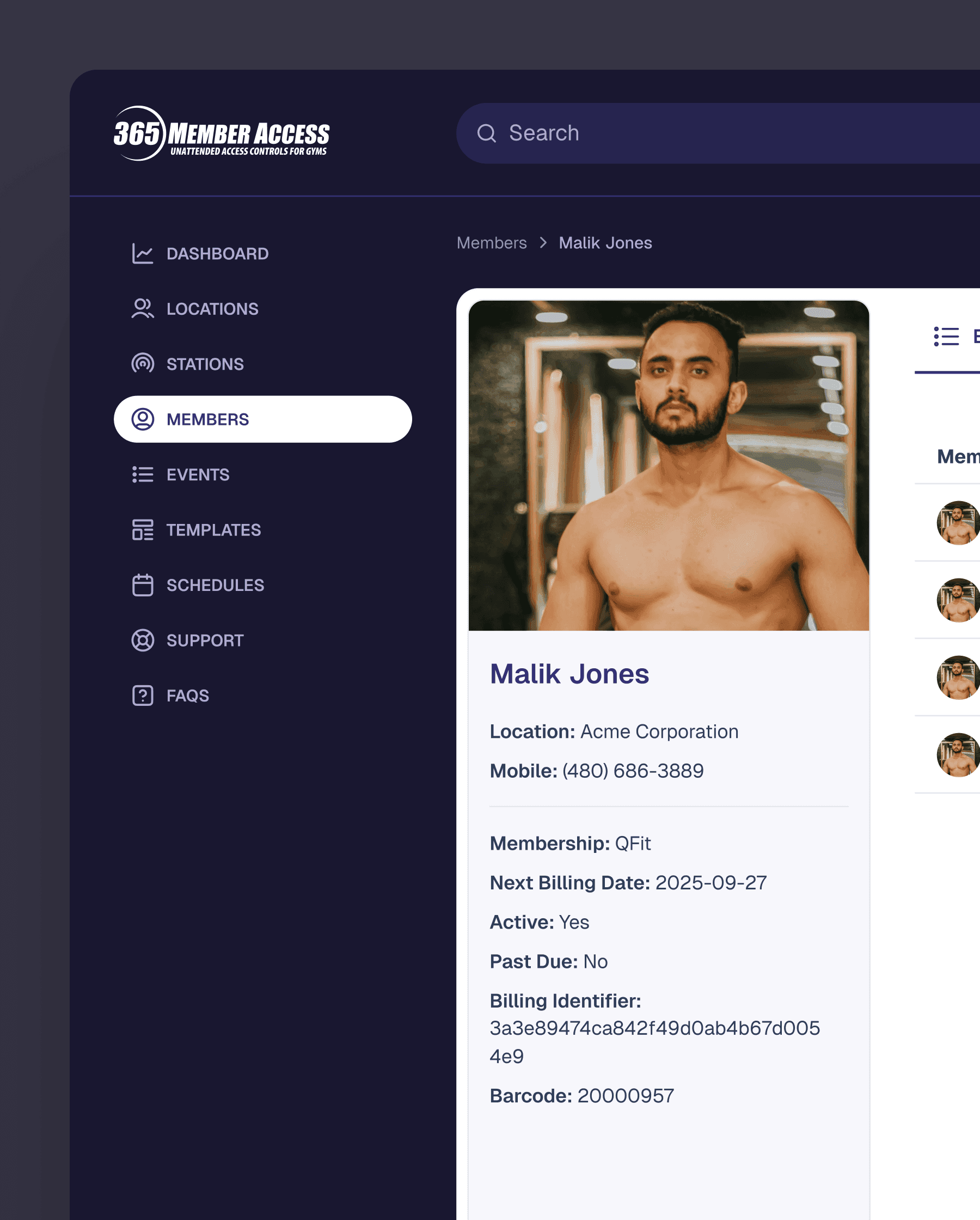
The final design made 365 Member Access a cleaner and more organized admin platform. Even though the system is complex, it is now much easier to navigate.
The redesign brought several key improvements:
It is now easier to tell the difference between system-wide and account-level administration.
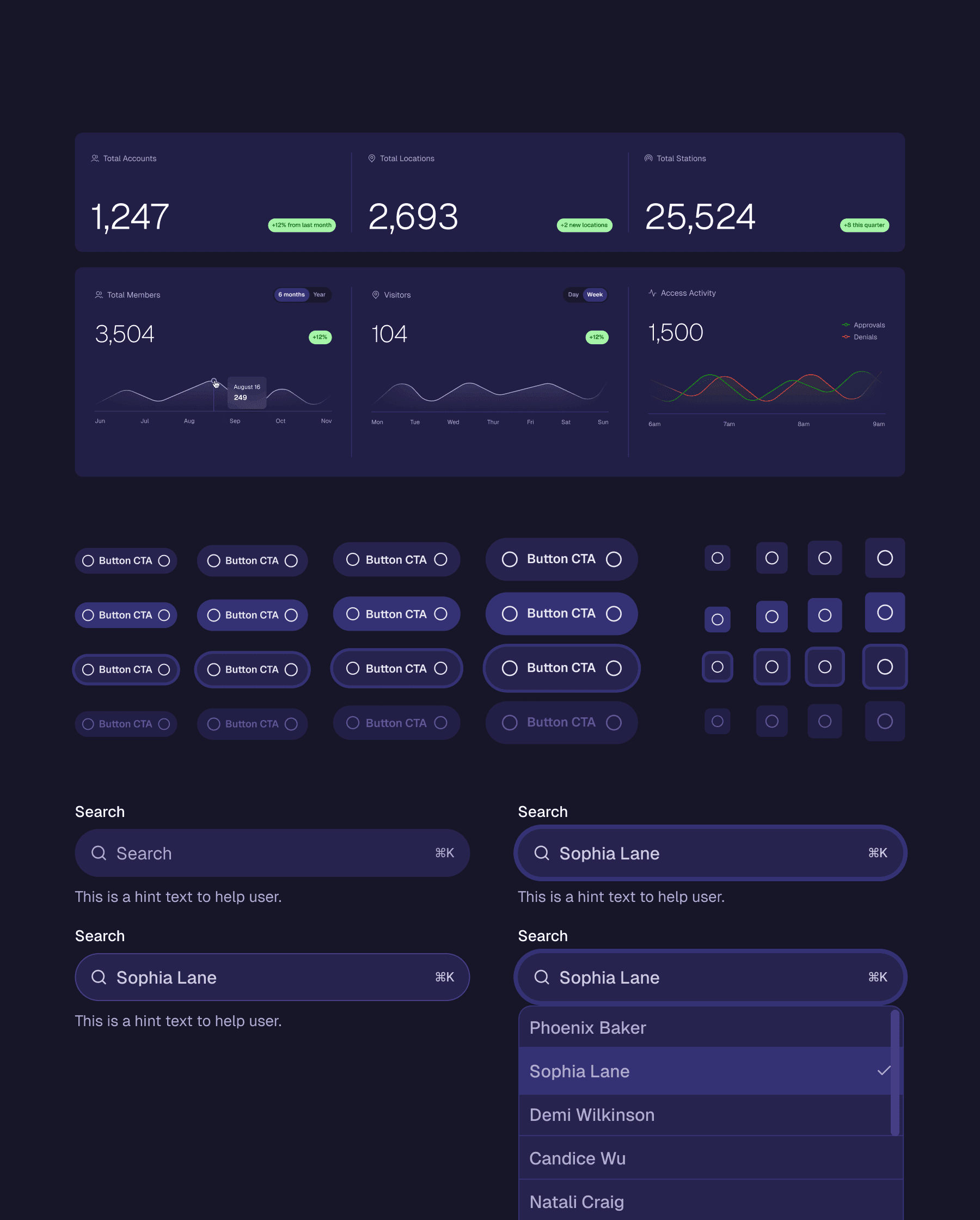
The dashboard has been updated, making metrics and activity trends easier to read.
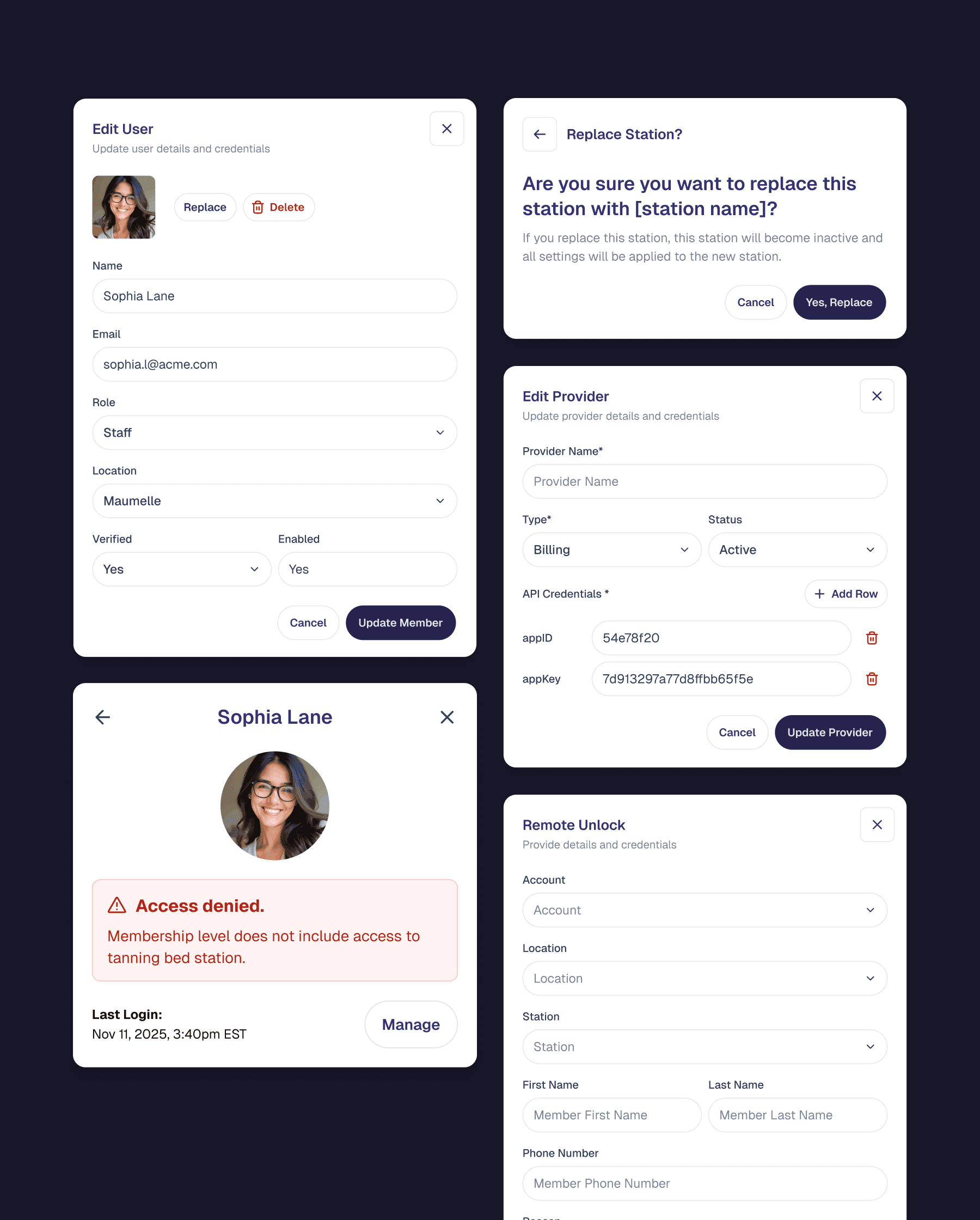
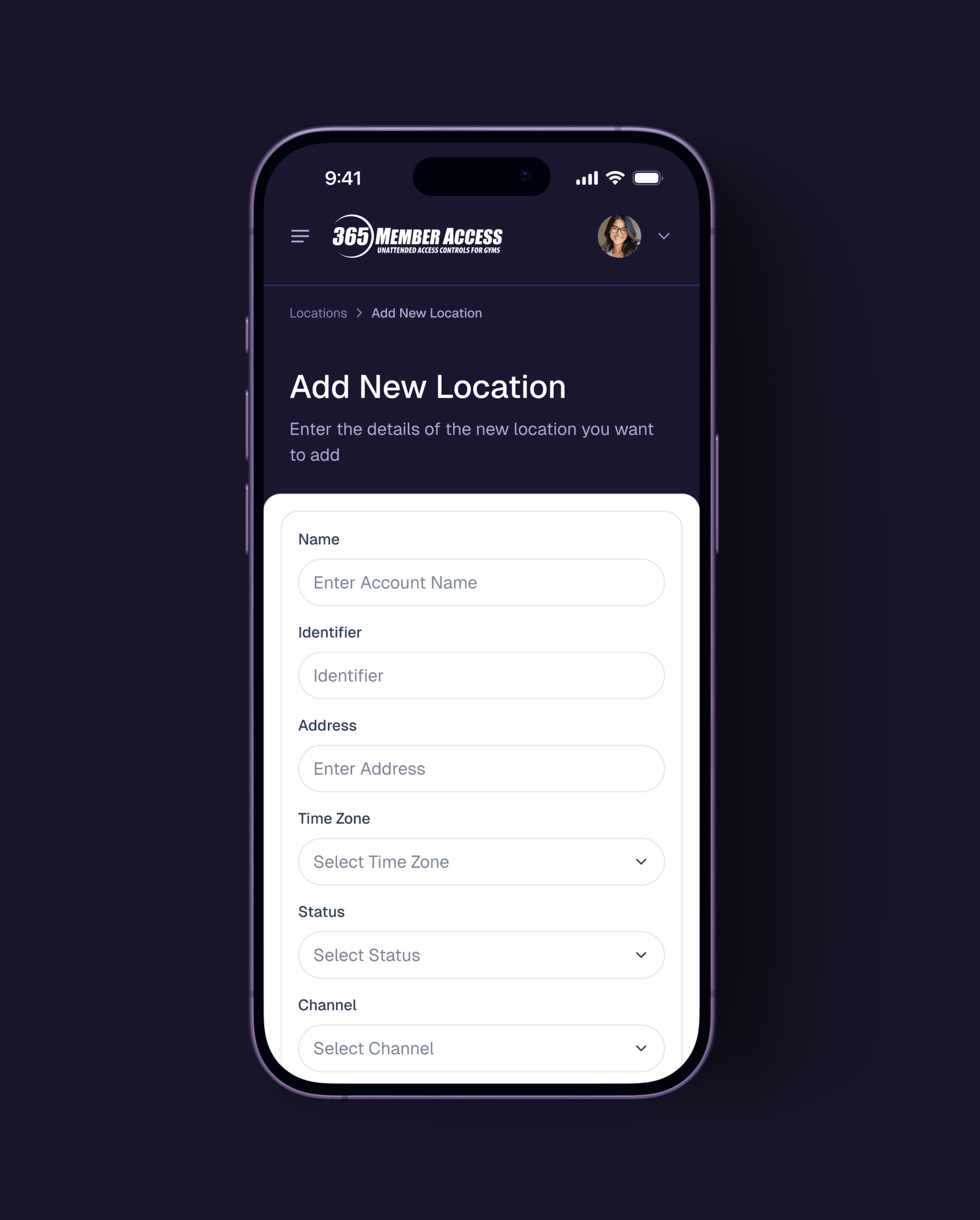
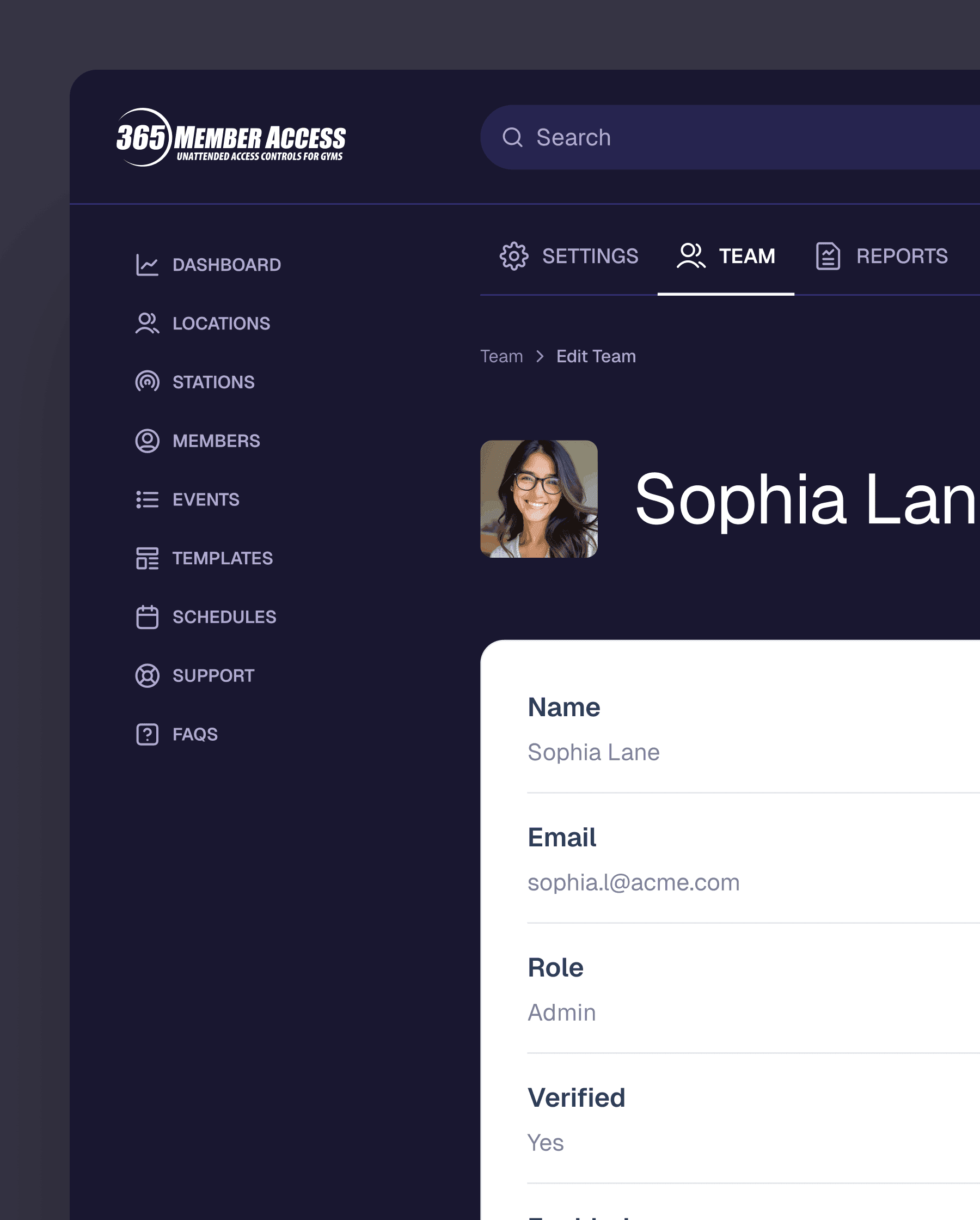
Managing accounts, locations, members, and stations is now more straightforward.
Template systems for actions, behaviors, and schedules are now easier to understand.
Forms, detail views, and modal editing are now more consistent throughout the platform.
The platform now has a stronger visual framework, making it look more polished and ready for enterprise use.
As a result, the product now supports daily administrative work better and provides a stronger foundation for future growth.
Reflection & Takeaways
This project showed that strong product design is not just about adding features. Often, it is about making things clear within complex systems.
The main challenge was designing a system with many layers, while keeping the interface easy for admins who needed to work fast and confidently. I had to balance flexibility and structure, and make sure advanced workflows stayed manageable.
One key lesson from this project was the value of mapping the system early. By learning how entities and templates connected from the start, I could design an experience that felt intentional, consistent, and scalable throughout.